🖼️ Image Converter
Convert images directly in your browser
Drop your image here
or
JPG, PNG, WEBP, GIF, BMP supportedToolXON Browser Side Image Converter is a simple way to convert images between popular formats such as JPG, PNG, and WEBP without sending your files to a remote server. If you need to quickly change an image format before uploading it to a website, blog, social media platform, or project, this browser-based image converter can save you time.
The main advantage is privacy. Your image is processed directly inside your web browser instead of being uploaded to a server for conversion. This makes the tool useful when you want a convenient private image converter for everyday image-format changes. There is no need to install additional software just to convert a JPG, PNG, or WEBP file.
Table of Contents
- What Is a Browser Side Image Converter?
- Supported Image Formats
- How to Convert an Image
- Private Browser-Based Image Conversion
- Frequently Asked Questions
What Is a Browser Side Image Converter?
A browser-side image converter performs the conversion directly on your device using your web browser. With ToolXON Browser Side Image Converter, you can convert supported images without uploading them to a server. This approach is especially useful for users who want a quick and straightforward image conversion tool while keeping their files on their own device.
Supported Image Formats
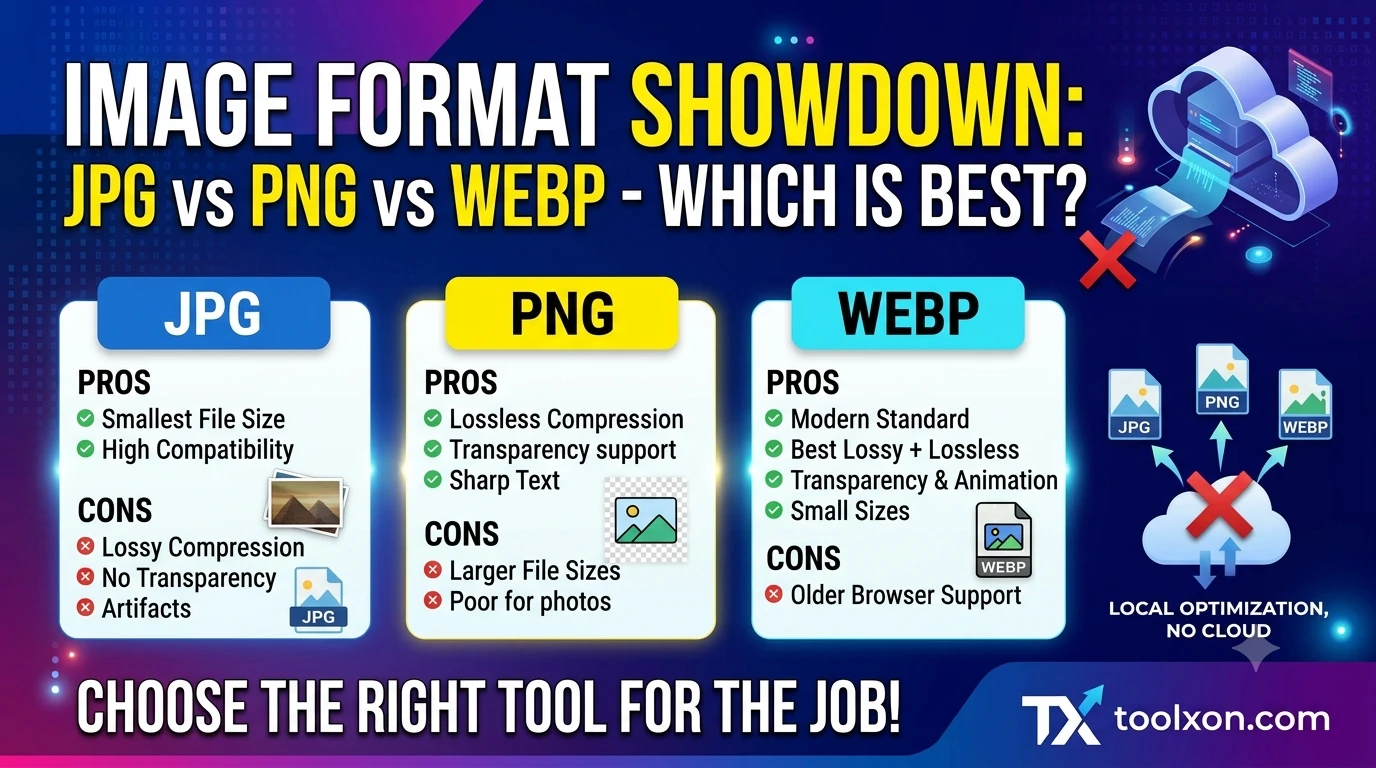
The tool supports common image formats including JPG, PNG, and WEBP. You can use it for common conversion tasks such as JPG to PNG, PNG to JPG, or converting an image to WEBP for modern websites.
JPG, PNG and WEBP Conversion
JPG is widely used for photographs, PNG is useful when transparency or lossless images are needed, while WEBP is popular for web content because it can provide smaller image files with good visual quality.
How to Convert an Image
- Open the ToolXON Browser Side Image Converter.
- Select the JPG, PNG, or WEBP image from your device.
- Choose the output image format.
- Start the conversion process.
- Save the converted image to your device.
Private Browser-Based Image Conversion
Unlike traditional online converters that upload files for processing, this tool is designed for browser-side image conversion. Your selected image is processed in the browser, so the image does not need to be uploaded to a conversion server. This can be helpful when working with personal photos, website graphics, screenshots, or other images you prefer to keep on your device.
Frequently Asked Questions
Is ToolXON Browser Side Image Converter free?
Yes. The browser-side converter is designed as a simple tool for converting supported image formats.
Does the converter upload my image to a server?
No. The image is processed directly in your browser rather than being uploaded to a server for conversion.
Which image formats are supported?
The converter supports JPG, PNG, and WEBP image formats.
Can I convert JPG to PNG?
Yes. You can use the tool to convert supported JPG images into PNG format directly in your browser.
Is this useful for website images?
Yes. WEBP conversion can be useful when preparing images for websites, while JPG and PNG remain useful for different image-quality and transparency requirements.
People Also Search For
browser side image converter, private image converter, JPG to PNG converter, PNG to JPG converter, PNG to WEBP converter, WEBP image converter, convert image in browser, online image converter without upload, browser based image converter, free image format converter
Final Thoughts
If you need a quick way to change an image format without uploading your file to an external server, ToolXON Browser Side Image Converter is a practical option. Its browser-based processing makes image conversion simple while keeping the selected image on your device during the conversion process.
Leave a Comment
Join the discussion. Please keep comments respectful.